As we know, Theme Park is a module within the Good Lock app, which is used to create personalized themes for your Galaxy device. The Korean tech giant is updating the Theme Park app to the new version, v1.1.01.38.
The new update of Theme Park comes with a couple of UI changes and new features. As mentioned in the changelog, it adds support for the favorite theme option and improved icon editing UI, including shape, effect, and image distinction.
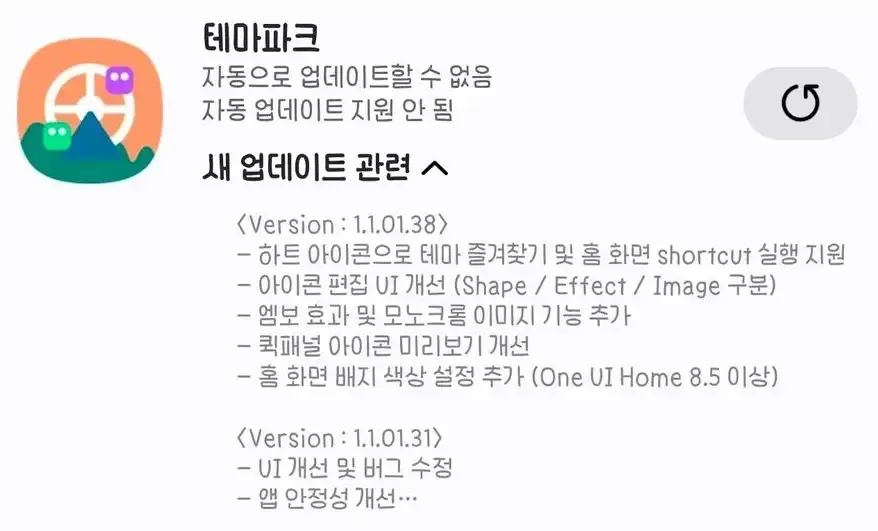
Furthermore, it also adds a monochrome image function and emboss effect. The preview of the Quick Panel icon is getting more improved. For One UI Home 8.5 or higher versions, it adds support for the new home screen badge color setting.
Theme Park v1.1.01.38 changelog
- Support for theme favorites and home screen shortcut execution with a heart icon
- Icon editing UI improvement (Shape / Effect / Image distinction)
- Added emboss effect and monochrome image features
- Quick panel icon preview improvement
- Added home screen badge color settings (One UI Home 8.5 or higher)
These updates are released in batches, and availability timings depend on regions too. That’s why it takes a couple of weeks to be available on every eligible device. Users can check the update via the Good Lock module or can install it through the Galaxy Store.
Apart from this, Samsung recently started the One UI 8.5 beta program for the Galaxy S25 series, and some Good Lock modules were not working properly, so this update may also improve the functioning of the Theme Park with One UI 8.5 software.