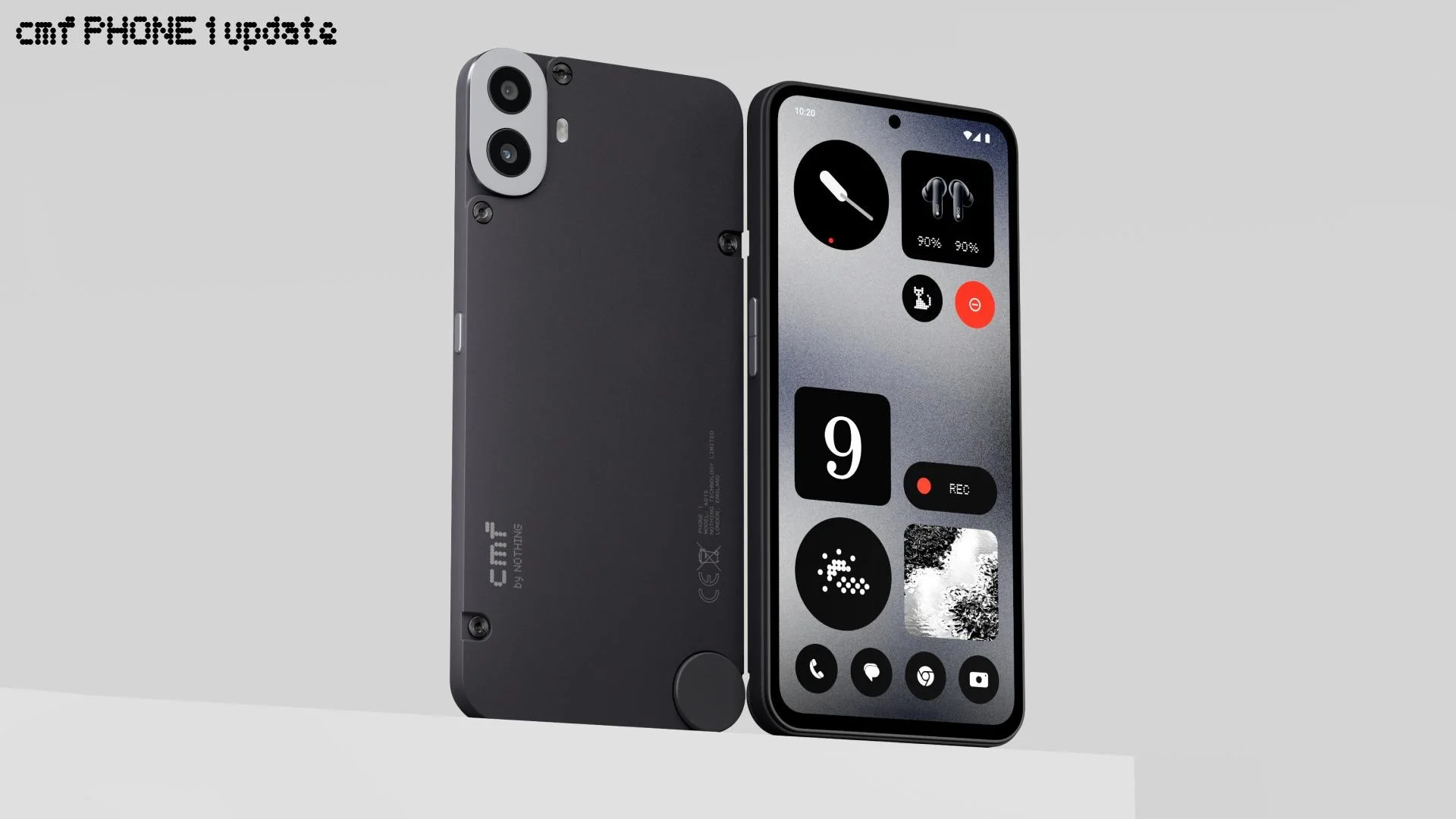
CMF Phone 1 is an entry-level midrange smartphone from Nothing sub-brand CMF. Users were waiting for a long time to experience the latest features of the Android 16-based Nothing OS 4 software. Finally the brand has started giving the taste of the stable Nothing OS 4 to CMF Phone 1 units.
The update is available globally to download and explore new functions, visual enhancements, camera enhancements, and more. The brand-new firmware is rolling out with build version Nothing OS B4.0-251216-1717.
It may take a few days to complete the rollout, as the software is distributed in batches and firstly released to a small number of users, then gradually rolled out. To download manually, you can navigate to
According to the official changelog, it adds many new features to the system, including 2×2 size support for most QuickSettings tiles. Now users are allowed to set different ringtones for dual SIMs.
The fresh upgrade brings visual changes to app icons, updated status bar icons, 2 new lock screen clock faces, extra dark mode, and more. For all feature details, explore the changelog below.
CMF Phone 1 Nothing OS 4 changelog
New Features
- Hiding apps directly from the home screen and App drawer is now supported. Find hidden apps via: Home screen > App drawer > Hidden icons.
- Managing the search scope is now supported in App drawer to display results within a specific scope.
- Added more size options for Weather, Pedometer, Screen Time widgets.
- 2×2 size is now supported for most QuickSettings tiles.
- Pop-up view now supports two floating icons for easier switching.
- System upgrade supports app optimisation to improve startup speed. Path: Settings > Apps > App optimisation.
- Setting different ringtones for dual SIMs is now supported.
Essential Innovations
- Introducing Playground (Alpha) — come to experience unique creations from the Community, including Essential Apps, Camera Presets, and EQ Profiles.
- Essential Apps (Alpha) are now open for download. Enjoy the AI-powered, community-crafted apps that blend creativity with efficiency.
Visual Enhancements
- Nothing app icons have been redesigned with an all-new, fresh look.
- Updated status bar icons with a more intuitive look.
- Added 2 new lock screen clock faces in Customisation.
- Extra dark mode is now available, bringing a more immersive dark style. Path: Settings > Display > Dark theme > Extra dark mode.
Camera Enhancements
- Presets: Updated default list with new popular styles.
- Filters: Added intensity adjustment and exclusive ‘Stretch’ styles.
- Watermarks: Introduced new Nothing brand watermarks and artistic frames.
Apart from this, some bigger Android brands have also almost completed the Android 16 upgrade, including Samsung and OnePlus.