
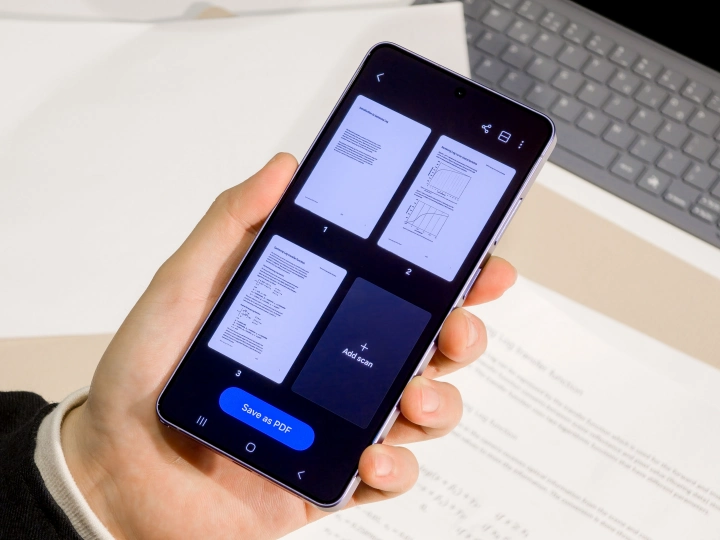
The One UI 8.5 update has brought a significant bunch of new features for the flagship galaxy devices. The document scan is also one of them. The feature initially arrived to the Galaxy S26 series devices. Fortunately, Samsung is making it available to more flagship devices.
Samsung Galaxy Document Scan One UI 8.5 update
The Samsung Galaxy document camera tool is one of the beneficial features that arrived with the One UI 8.5 update. With this feature, you can easily scan the document with the smart assistant.
The feature first spotted on the Galaxy S26 series, now with the recent One UI 8.5 beta update, is confirmed to be available for Galaxy S25 series devices. Further, a report confirms that the document scanning feature will be available to more flagship devices, including the Galaxy S24, S25FE, the Z Fold 7 and Z Flip 7, and the Z Fold 6 and Z Flip 6.
How to access feature?
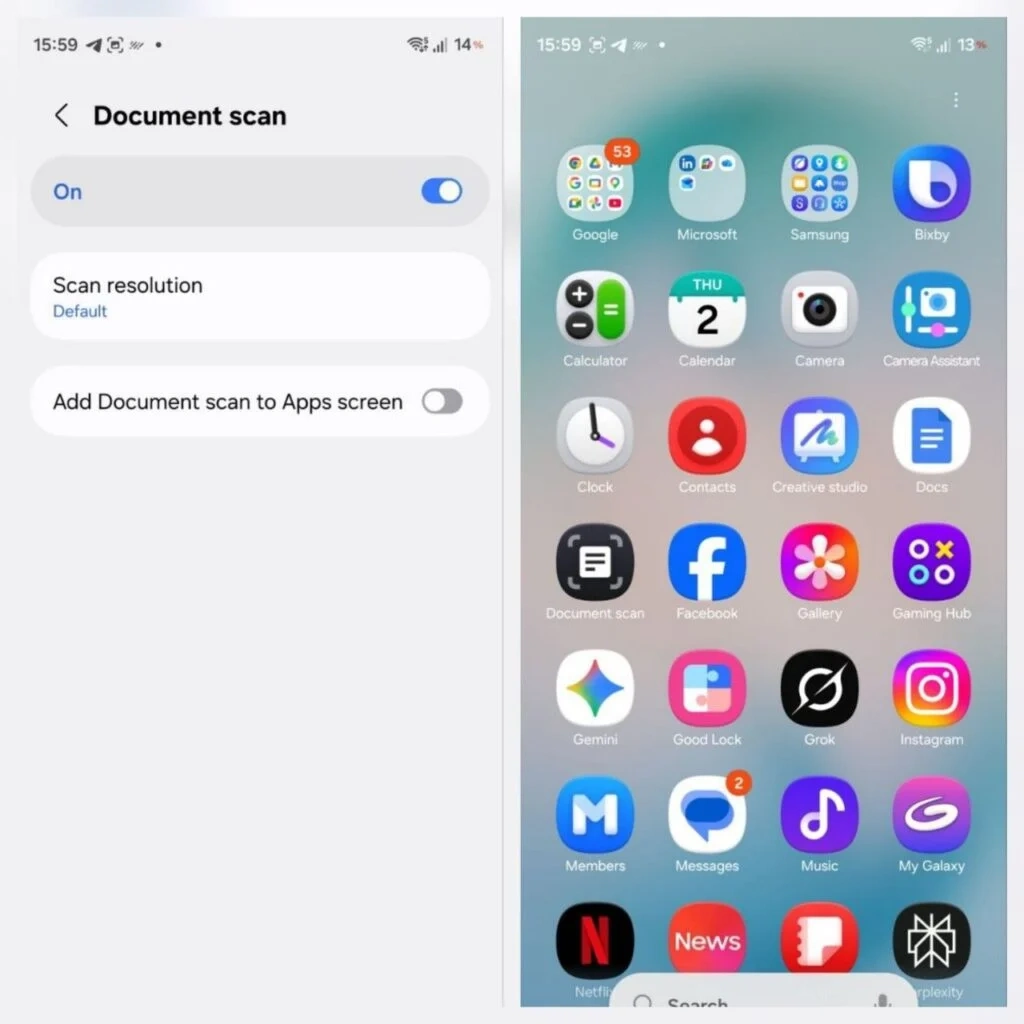
However, to use the feature, you will need to activate it manually from the camera settings. To do that, you just need to go to the camera settings, then search fo the document scan, then tap on and turn it on. In this setting you can also have the option to make it available on the app screen for more convenience.