
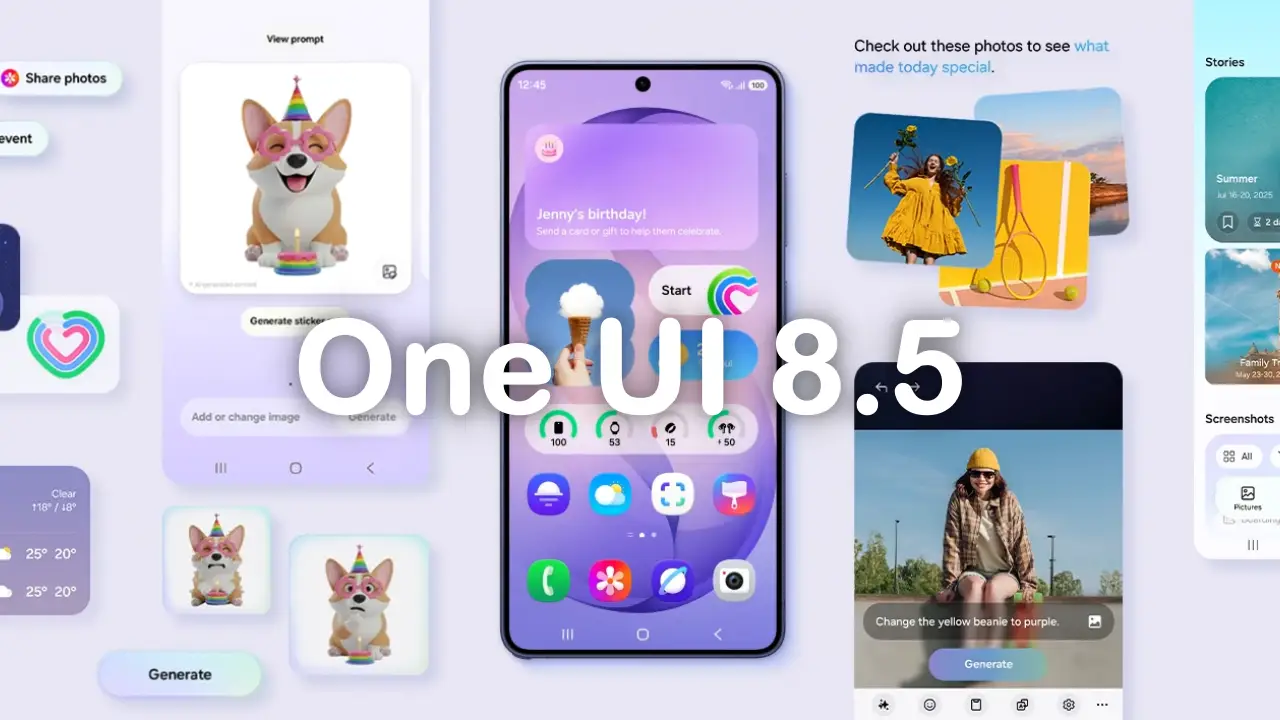
Following several months with a beta update, the Korean tech giant has finally begun the stable version of One UI 8.5. The update is currently rolling out for the Galaxy S25, Galaxy S25 Plus, Galaxy S25 Ultra, Galaxy S25 Edge, and Galaxy S25 FE.
As of writing, the update is live in Korea and should be available in the US, Europe, and Asia soon. Users can check the stable One UI 8.5 build versions for the Galaxy S25 series listed below.
Galaxy S25 series stable One UI 8.5 build versions
- Galaxy S25: S931NKSU9CZDP
- Galaxy S25 Plus: S936NKSU9CZDP
- Galaxy S25 Ultra: S938NKSU9CZDP
- Galaxy S25 Edge: S937NKSU7CZDP
- Galaxy S25 FE: S731NKSU6BZDP
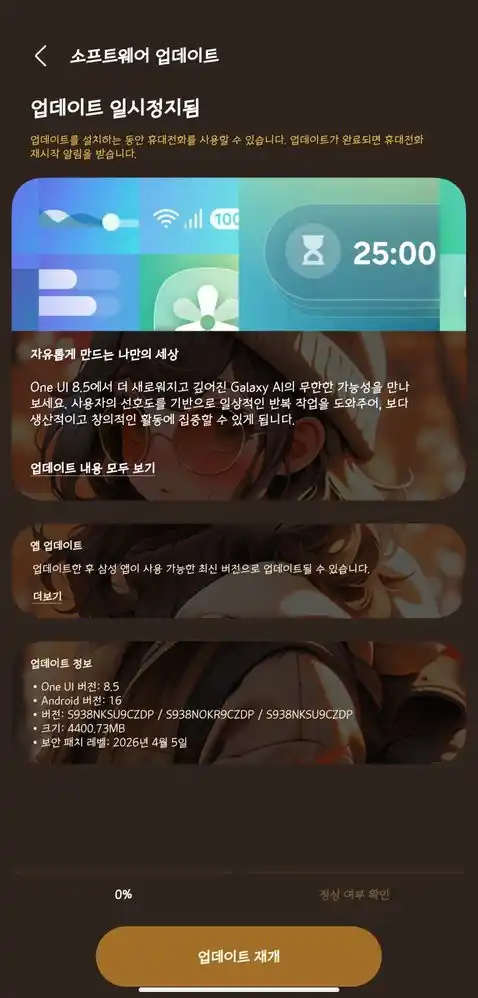
The update is available to download for both beta and non-beta units in Korea. One UI 8.5 is not a mini feature-packed update; it comes in around a massive 4.4 GB package. Notably, the units are still on the April 2026 security patches; the update does not include the latest May 2026 patches.
The One UI 8.5 is an AI-focused software bringing several AI enhancement features, including call screening, AI-powered photo editing, and live transcription, along with tools like Audio Eraser and generative editing.
There are so many features and visual enhancements that come with this latest firmware, so users can see the changelog for the update below for complete new feature details.
One UI 8.5 changelog for Galaxy S25 Ultra
Visual Design
New visuals that transform daily life
One UI provides more meaningful personalized experiences in everyday life, allowing you to experience a higher level of design sophistication. The depth added by transparent blur effects helps you easily understand content, while necessary elements are provided in a floating format based on the usage context, pursuing greater usability. We designed One UI that allows users to focus on what matters through user-friendly and intuitive data visualizations.Galaxy AI
Call Screening Before Answering
When a call comes in, you can have the Call Assistant answer on your behalf to ask for the caller’s name and purpose.Image Editing with Text Prompts
Improved image editing capabilities allow you to easily edit images by typing the content you want to change into text. You can change someone’s clothing color or add something new to an empty table. Bring your imagination to life in images.Natural Image Merging
Use Photo Assistant to easily combine elements from different images into a single one. Simply select the parts you want to composite from other photos, and Galaxy AI will create a seamless result. You can also create images with your desired look by adding text along with the photos.Decorate Photos with Various Styles
With Photo Assist, change the mood of your photos by applying various styles not only to portraits of people or pets but to all your pictures. In thumbnail view, you can long-press a style to change its order and pin your favorite style items to the front.Continuous Image Creation
You can now continue working on your desired tasks without interruption. When creating images with AI in Photo Assist, you do not need to save your various edits individually; you can continue editing directly from the results screen after creation. Additionally, you can check the generated images at any time through the history.Create Your Own Images with Creative Studio
Create your own wallpapers, special stickers, and profile images, and use them freely on your phone. You can now launch Creative Studio directly from the Apps screen.View Now Brief on Lock Screen
Receive more diverse personalized recommendations on the lock screen. Now Brief provides useful information relevant to your situation.More Powerful AI Select
Long-press the Edge handle to launch AI Select immediately. Even if you missed the scene you wanted, you can rewind a few seconds to accurately capture the parts you need.Automatic Language Detection During Interpretation
Once you turn on the microphone, you can continue a natural conversation without having to press it every time. After selecting the language to interpret and turning on the microphone, the interpretation app automatically detects the language being spoken and translates it into each other’s languages.Bixby
Smart Device Control
Make requests to Bixby using your own unique expressions. Even if you don’t use exact commands or function names, Bixby helps you find and quickly change the settings and functions you need. With a personalized guide for your device, you can use your device more smartly and conveniently through Bixby.Ask Anything Asking
Bixby naturally as if you were having a conversation, and check the answers you want immediately. You can obtain the information you need with a single conversation without switching between apps or searching multiple times.Easily Check Conversation History
It has been improved to make it easier to find your past conversation history with Bixby. You can quickly check your previous conversation history on the side panel of the Bixby app.Camera
Clean Document Scanning and Editing
Experience faster and smarter document scanning. Simply point the camera at a document, and the scan button appears automatically. Not only can you save multiple pages as a single PDF file, but the new eraser tool automatically removes unnecessary elements such as fingers, folded corners, and wavy lines.Motion Photo Auto Settings:
If you set Motion Photo to the Auto option, the camera saves a Motion Photo video only when it detects movement of the subject. When there is no movement, it is saved as a regular photo, allowing for more efficient use of space.Simultaneous Front and Rear Camera Recording:
Capture the scene in front of you while filming yourself. Press the Dual Recording icon in Quick Controls in Video Mode to start recording simultaneously with the front and rear cameras.Log Video Color Preview:
Check the color tone of the final edit in real-time when shooting Log videos. By applying Cinematic LUT Preview, you can accurately grasp the look after correction even before you start editing. Cinematic LUT Preview is available in the Gallery and Studio apps.New Filters Added:
Three new filters have been added to add vivid film effects to your photos.Home and Lock Screen:
Automatic Lock Screen Configuration
You can configure the screen with the optimal layout when using photos of people or pets as wallpapers. Wallpapers are automatically positioned to harmonize well with the location of the lock screen clock and widgets.New Downloadable Wallpapers:
You can download new wallpapers that include interactive elements. You can download only the wallpapers you need, so unused wallpapers do not affect storage space.Weather Effects Applied to Wallpaper:
Effects are applied to the wallpaper based on the current weather. When you select an image to use as a wallpaper, you can preview how the weather effects will be applied.Enhanced Customization Options
for the Lock Screen Clock : The lock screen clock has been improved to allow for more diverse customization. Adjust the font weight yourself to match the background image. Improved Weather Widget:WeatherImproved
Weather WidgetYou
can quickly check precipitation information in the weather widget on the home screen. When there is a precipitation forecast for a few hours, it is displayed as a graph in the widget.Pollen Index Pollen
index information has been added. By checking the indices for trees, grasses, and ragweed, you can effectively manage your allergies.Communication
Direct Voice Message
When you can’t answer the call, if the other person leaves a voice message for you, it will be saved on your phone so you can quickly listen to the message at any time. While the other person is leaving a message, it will appear on the screen in real time, so you can also reply whenever you want.When you receive a rejection
call with a customized message, an appropriate rejection message is recommended according to your activity. You can easily tell the caller that you can’t answer the phone when you’re driving or exercising. You don’t have to type text directly.Clock Weather
Alarm BackgroundCheck
the current weather to start your day. To make it intuitive to check the weather, when the alarm goes off, it shows the current weather in the background.Time zone conversionImproved
to compare different time zones at once. In the Clock app, you can intuitively check the time difference between different cities using a slider.Connectivity Storage
SharingIn
the My Files app on my phone, you can access files from other Samsung phones, tablets, and PCs. You can also open files on your phone on other Samsung devices, such as TVs.Automatic hotspot
has been upgraded to make it easier to share your phone’s internet connection with more people. You can also share it with family members in your Samsung account, and you can create a hotspot sharing group to share it with anyone you want.Share
family devices Share files, screens, cameras, storage space, and more with your family for a variety of connected experiences. Features like Quick Share, camera sharing, storage sharing, automatic hotspot, and multi-control are available on your family’s Galaxy devices.Connect
quickly to your smart view deviceConnect to your favorite displays faster. Add a shortcut to your home screen to mirror your phone screen directly to your TV or other display.Integrated
Oracst Menu Consolidates audio broadcast settings into one, making it easier to listen to other people’s oracast broadcasts and start your own broadcast. Check and try your broadcast settings in one place.Broadcast with your voiceNot
only can you share your phone’s media sound with those around you, but you can also broadcast directly with your voice. Use your phone’s built-in microphone to broadcast with clear voice.Quick Share
Share
with Apple devicesEnjoy a more versatile sharing experience. Now, with Quick Share, you can share photos, videos, files, and more with AirDrop-enabled devices, such as iPhones, iPads, and Macs.Get shared only on your deviceYou
can set files to only be sent from devices where you’re signed in with your Samsung Account or Google Account.Recommend
devices to shareYou can quickly find people to share with. When you share photos with family and friends, it recognizes the people in the photo and suggests who to share the file with.Samsung HealthWeekly
Report for Comprehensive HealthCheck
weekly changes with various data. Medication and mindfulness data are now also available in weekly reports.Upgraded Sharing Experience
When you share your workout history, you can add your own personality. Utilize your photos and workout logs during your workouts to create the perfect image for social media.Meditate with your watchYou can also start meditating on your
Galaxy Watch. Take your favorite meditation sessions or recommended meditations right from your phone or watch.Antioxidant measurement
on your watch at any time Even if your Galaxy Watch is not connected to your phone, you can measure your antioxidant index directly on your watch at any time. This feature is available on the Galaxy Watch 8 and Galaxy Watch Ultra.Battery & Power
Improved Battery Information Screen The
screen has been improved to allow you to check battery usage information more efficiently. You can conveniently check the remaining battery level, charge status, battery protection options, and daily usage for last week and this week all on one screen.Enhanced Power Saving Mode
Turning on Power Saving Mode extends battery life. In the default Power Saving Mode, you can extend battery life by manually setting which items to restrict, while selecting Ultra Power Saving Mode turns off all functions except essential ones to maximize available battery life.Security & Privacy
Privacy Notifications
If you enable Privacy Notifications, your app permission settings will be checked frequently. You will receive alerts to review app permissions if there is a possibility that your personal information could be exposed to risk. You can also receive useful suggestions and information to safely protect your personal information.Protection Against Theft
To further protect your information, turn on the Authentication Failure Lock feature in case your phone is lost or stolen. The screen will automatically lock if there are too many failed attempts to unlock using fingerprints, PINs, patterns, passwords, etc. Additionally, security is enhanced by protecting more settings than before through identity verification features.Temporarily turn off automatic security risk blocking
If you need to temporarily disable the automatic security risk blocking feature, you can set it to automatically turn back on after 30 minutes. To safely protect your device from security threats, set it to turn on automatically without you having to manually turn it on.Check the security status of your device
Check the status of all your devices and use them safely. Knox Matrix checks the security status of your device and notifies you to update if the latest software is available. This feature is only available on supported devices logged into a Samsung account.Accessibility
Easily control Bluetooth hearing aids
You can now directly access Bluetooth hearing aid settings via the Accessibility Shortcut. You can quickly change various settings from the pop-up, such as changing hearing aid programs or turning Amplify Ambient Sound on and off.Enhanced magnification experience when using mouse/keyboard
Improvements have been made to ensure a stable view of the magnified area when using a mouse or keyboard. When changing focus with the keyboard, you can set the magnified area to follow cursor input or movement. When using a mouse, you can also set the magnified area to follow the pointer as it moves toward the corners of the screen.Automatic Action After Stop / Corner Action
The automatic action after the pointer stops feature has been separated into two functions, allowing for appropriate use depending on the situation. Automatic Action After Stop allows you to set a custom action to be performed when the mouse remains stationary for a specific period of time. Corner Action allows you to set separate actions for each corner of the screen.Reduce Video Flash
A new setting has been added to reduce flash effects, making video viewing more comfortable.Other Improvements
Editing Quick Settings
Editing the Quick Settings panel has become more flexible. You can arrange each item in your desired location, such as adding necessary items, deleting rarely used items, or moving frequently used items to the front.Custom Calendar D-Day Widget
You can customize the D-Day widget to your preferred style. You can create and apply a background image using Creative Studio, select an image directly from the gallery, or apply a color of your choice to the background. GetNotifications Earlier Than Needed
Set reminders to ensure you don’t miss important tasks. You can select the time to receive the reminder for each reminder.Insert Tables in Samsung Notes
Organize your notes neatly using tables. You can freely adjust column width, color, and border design, and boost productivity by shortening work time with the auto-calculation feature.Reorganize New Tab Page The
tab page has been improved in Samsung Browser so you can check and open websites and necessary functions more quickly when opening a new tab. On the new tab page, you can check not only tabs open on other devices but also your current security status.Partial Screen Recording
Instead of recording the full screen, you can adjust the recording area to include only the parts you want. Record only what you need.Quickly Enter Formulas with Recommendations
Features have been enhanced to make calculations faster and easier. When you open the calculator, numbers and formulas stored in the clipboard are recommended for immediate input. SaveWindow Size and Position in DeX
Window sizes and positions for each app are saved. When you open the same app again in DeX later, it will open in the same location and with the size of the app you last used.